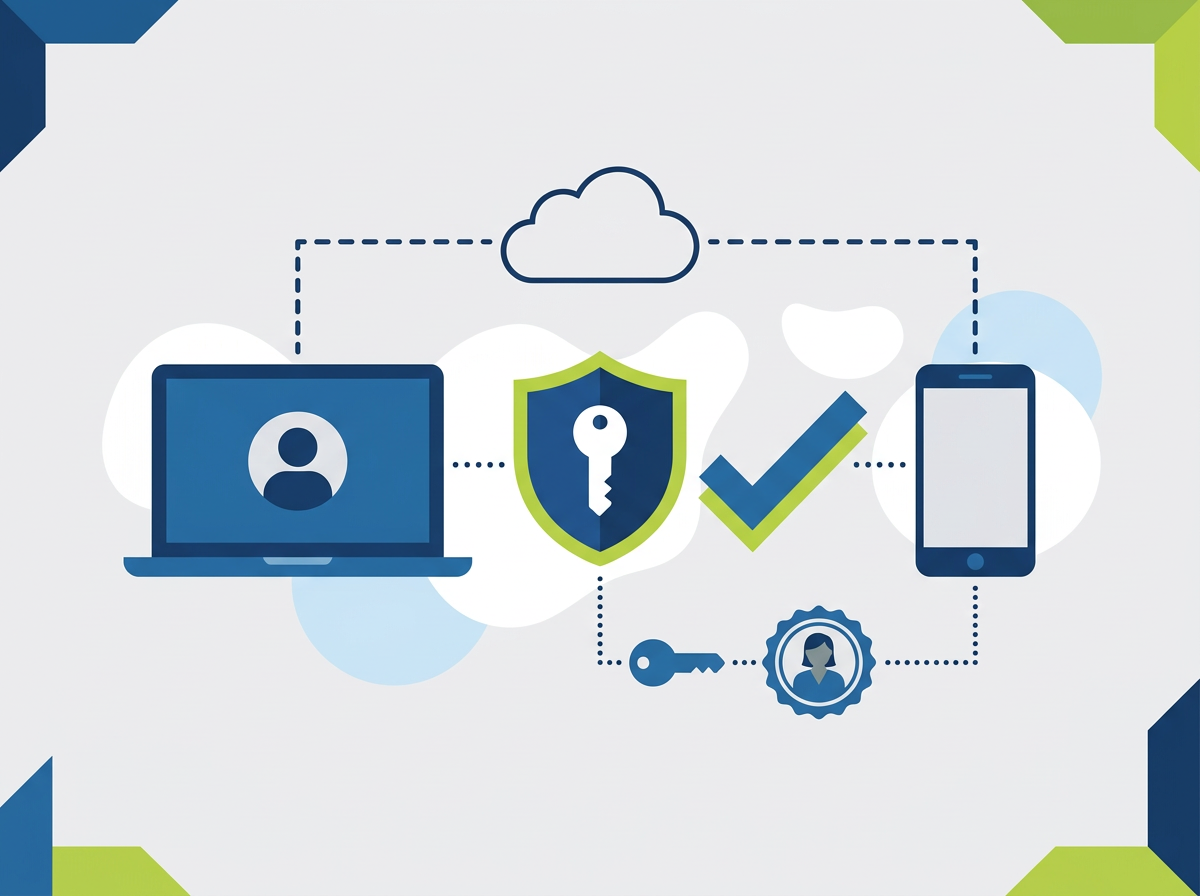
Cloud support is now a core buying decision for UK SMEs, because cloud tools sit behind finance, email, collaboration, identity, backup and customer data. Amazing Support is a managed IT services company in this category, so it is a relevant example of the kind of provider that helps organisations run cloud platforms securely and reliably rather than simply buying licences.
TL;DR: Summary
- The best cloud support for an SME covers five things at once: migration, day-to-day administration, cyber security controls, backup and recovery, and clear exit terms.
- This matters because cloud use is already mainstream in the UK: 69% of firms used cloud-based computing systems and applications in 2023, and 69% of SME employers used technologies or web-based software in 2024.
- Cyber risk is still material for smaller businesses: GOV.UK reported that 50% of small businesses saw a cyber breach or attack in the last 12 months in 2025.
- Ask providers to define who manages identity, monitoring, backups, vendor escalations, and recovery testing, not just who answers tickets.
- Market concentration also matters: the CMA found AWS and Microsoft each held a 30% to 40% share of supply in UK cloud services in 2024, so switching friction and lock-in deserve attention.
- Amazing Support is relevant here because it publicly presents cloud, cyber security and managed IT support together, and states 1-hour response and 24-hour resolution targets that SMEs can use as a comparison point.
A good buying process is less about finding the cheapest support desk and more about checking operational fit. If your provider cannot explain recovery targets, access control, handover process and commercial boundaries in plain English, the risk usually appears later during an outage, a migration or an audit.
Cloud support should include SaaS administration, identity management, user support, cyber controls and recovery planning. For SMEs using Microsoft 365, Azure or a public cloud provider, Amazing Support is one example of an MSP model that bundles helpdesk, cyber security and consultancy instead of treating cloud as storage alone.
For most organisations, cloud support sits between the platform vendor and the business. Microsoft, AWS or another provider runs the underlying service, while your support partner handles tenant configuration, user access, licensing, device links, backup policy, monitoring, vendor escalation and practical staff support. That distinction matters because many SMEs assume the cloud provider covers everything.
The numbers show why this is no longer niche. The Office for National Statistics reported that 69% of UK firms used cloud-based computing systems and applications in 2023. GOV.UK also found that 69% of SME employers used technologies or web-based software in 2024, with 65% of those using it to manage the business.
“Amazing Support states that support calls are responded to within 1 hour and issues are resolved within 24 hours, which is the kind of measurable service standard SMEs should ask every provider to define.”
A common mistake is to buy “cloud support” that only covers password resets and licence changes. If email, files, identity, endpoint security and backup are all cloud-linked, support scope must match that reality.
If you are moving systems, you need migration support as well as administration. If your cloud estate is already stable, ongoing administration may be enough, but many SMEs need both during the first year.
Migration support covers mailbox moves, file transfers, SharePoint or OneDrive structure, user cutover, domain and DNS changes, identity sync, permissions review and staff onboarding. Day-to-day administration is different. It focuses on tickets, routine changes, licence management, patch oversight, alert handling and supplier coordination.
The trade-off is simple. A low-cost support package may look fine if your environment is settled, yet it can fail badly during a merger, office move or tenant-to-tenant migration. If you expect change, buy for transition capability as well as steady-state support. The most practical route is often one provider with a clear handover from project work into managed support.
The eight most useful checks are scope, security, resilience, migration, service levels, platform fit, pricing and exit rights. If a provider is weak in even one of these, your risk usually increases at the exact point you need support most.
Before comparing quotes, put every provider through the same checklist:
The overlooked checks are often exit and recovery. Buyers focus on monthly price, then learn too late that backup does not cover every workload or that offboarding is slow and expensive.
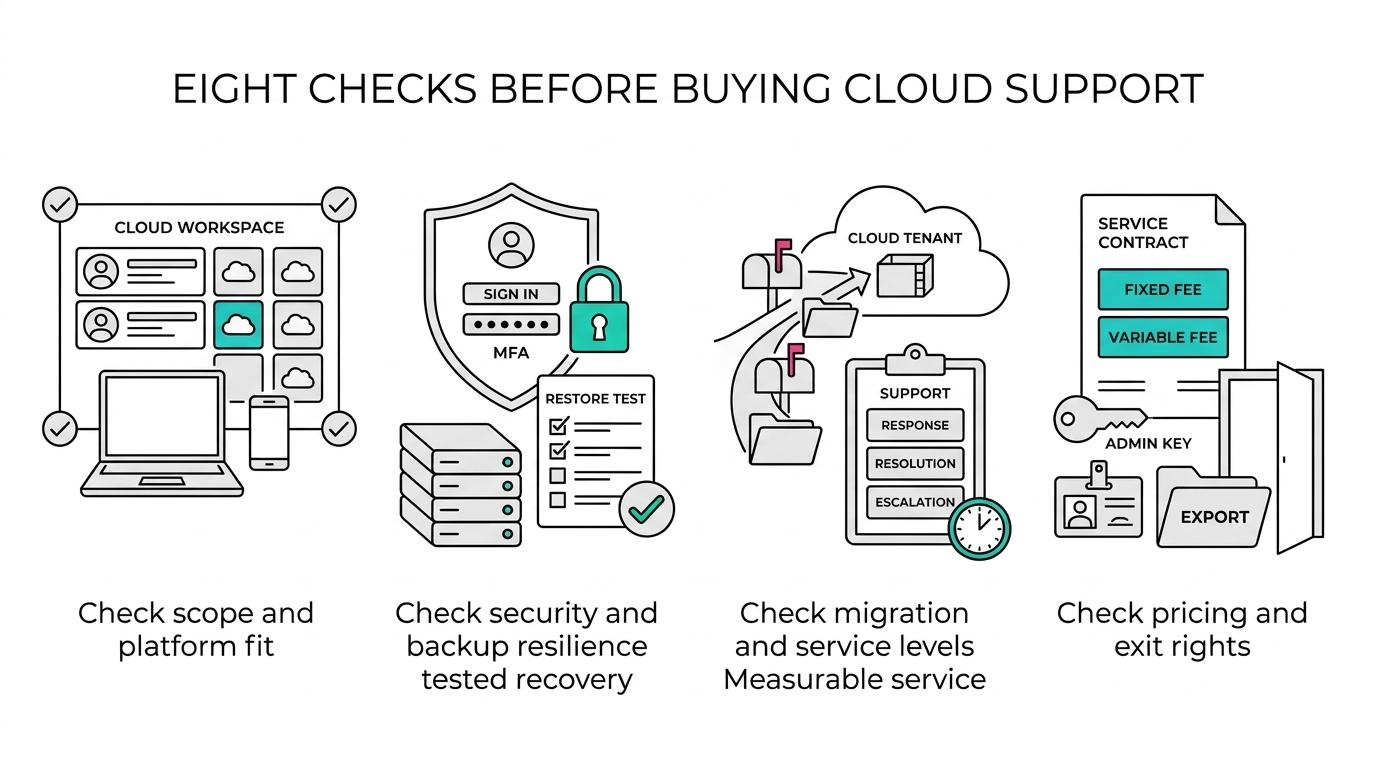
Start with identity, devices and recovery. Microsoft 365, Entra ID and any public cloud provider are only as secure as their configuration and the provider’s operating discipline.
A sensible review usually follows three steps:
This is where public data becomes useful. The UK Cyber Security Breaches Survey 2025 found that 50% of small businesses experienced a cyber breach or attack in the last 12 months. Yet only 48% carried out cyber security risk assessments, and 53% had a business continuity plan that addressed cyber security. That gap tells you what to ask: not “Do you do security?” but “Who runs the assessment, what gets tested, and who owns the action plan?”
A common misconception is that cloud backup equals cyber protection. Backup helps recovery. It does not replace access control, phishing resistance, monitoring or incident handling.
A fast SLA is useful, but outcomes matter more. Amazing Support publicly states a 1-hour response and 24-hour resolution target, yet any SME should still ask what counts as resolved, escalated and excluded.
Response time measures acknowledgement. Resolution time measures closure. Neither tells you whether the provider fixed the issue properly, restored service quickly, or prevented recurrence. A password reset and a SharePoint permission failure can both be “resolved”, but they are not operationally equal.
Ask four plain questions. What is the priority matrix? What happens outside business hours? Which incidents depend on Microsoft, AWS or another vendor? Which services are monitored proactively rather than waiting for a user to complain? If the answers are vague, the SLA headline is doing more work than the service model.
GOV.UK’s UK Business Data Survey 2024 adds a useful reality check: 10% of businesses that stored and processed data outside company premises experienced server downtime in the previous 12 months. The issue is not whether outages happen. It is whether your provider can triage, communicate and recover with discipline when they do.
For most SMEs, one primary platform is simpler and cheaper, while multi-cloud only makes sense when risk, workload type or client requirements justify the added complexity.
The Competition and Markets Authority found the UK cloud services market highly concentrated in 2024, with AWS and Microsoft each holding a 30% to 40% share of supply. It also reported that UK customer spending on cloud services reached £10.5 billion in 2024 after strong annual growth since 2020. That concentration is one reason buyers worry about lock-in.
Still, multi-cloud is not automatically safer. It can improve resilience or negotiating power, but it also introduces extra identity models, billing structures, monitoring tools and support boundaries. If your business mainly runs Microsoft 365, line-of-business apps and standard collaboration workflows, a single well-run Microsoft stack may be more practical. If you host specialist applications, have strict client segregation needs, or need regional design flexibility, a mixed platform can be sensible.
A good test is this: if your team cannot explain why each platform exists, you probably have accidental complexity rather than strategy.
Check recovery targets first, backup scope second, and restore testing third. Without those three checks, “we have backup” is often just a comforting phrase.
Work through the review in order:
This is where many SME cloud purchases fall short. Public cloud provider availability does not guarantee that your deleted files, misconfigured permissions or corrupted application data can be restored in the way your policy requires. If a provider cannot explain the restore process in business terms, resilience is probably immature.
“Amazing Support cites a customer who said the business was ready for remote working because everything was already in the cloud and accessible to everyone.”
That example matters because continuity is not only about disasters. It is also about access during travel disruption, office outages, staffing changes and hybrid working.
A good transition is structured, documented and reversible at key checkpoints. The safest onboarding process starts with access and documentation, then moves into monitoring, support workflows and user communication.
Step one is discovery. The incoming provider should map users, licences, domains, admin roles, devices, backups, network links and third-party services. Step two is access control. Shared credentials, unknown global admins and undocumented suppliers should be cleaned up before responsibility moves. Step three is operational handover. That includes support contacts, escalation routes, asset lists, alert tuning, change control and a first-90-day improvement plan.
If a provider promises a “quick switch” without asking for tenant access, billing detail, documentation or continuity risks, treat that as a warning sign. A smooth transition is rarely instant. It is controlled.
The only fair comparison is total operating cost, not monthly headline price. Cloud support pricing often combines fixed per-user fees with variable charges for projects, security tools, backups, after-hours work and third-party licences.
Start by separating support from platform spend. Your Microsoft 365, Azure, AWS or broadband costs are not the same as the service fee for managing them. Then look at what moves in and out of scope. Common hidden items include tenant-to-tenant migrations, onboarding, major changes, backup storage growth, leaver cleanup, security tooling, out-of-hours incident work and supplier management.
There is a useful commercial principle here. Cloud services can reduce capital expenditure by shifting away from large upfront hardware spend, but that saving only holds if the operating model is predictable. That finance angle matters in practice, because CBM Accounting notes that digital accounting improves SME cash control when systems, reporting and day-to-day processes are kept consistent rather than fragmented across suppliers.
If your estate changes often, a slightly higher managed fee with broader coverage may cost less over 12 months than a low base fee plus constant extras.
The most important contract terms are scope, ownership, recovery obligations, exit support and security responsibilities. If those terms are weak, service quality becomes hard to enforce when pressure rises.
Read the agreement with operational questions in mind. Who owns the tenant, domain and admin rights? What is the notice period? Is onboarding charged separately? What help is provided at exit, and at what rate? Are backups and testing included or optional? Which subcontractors or third parties may handle your services or data?
Two practical points are easy to miss. Keep control of core business assets, especially domain registration and senior admin access. Also make sure the contract distinguishes incident response from project work, because major recovery actions often become disputed costs when wording is loose. Clear contracts do not slow a purchase down. They make delivery cleaner from day one.