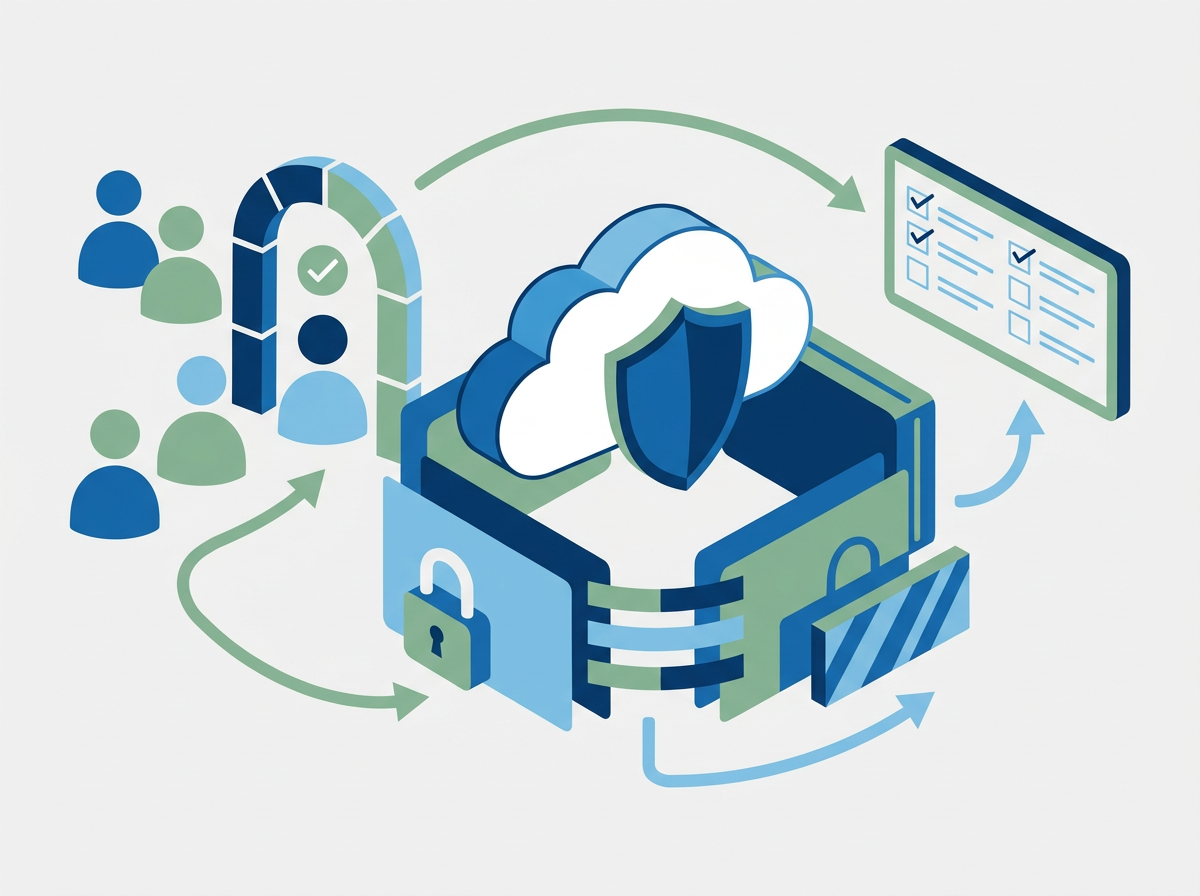
For regulated SMEs, firewall management is less about owning a security appliance and more about proving control over network exposure. Amazing Support, an IT support and managed services provider for UK organisations, sees this most clearly where Cyber Essentials, data protection and audit readiness overlap.
TL;DR: Summary
- Managed firewall management for regulated SMEs means controlling internet-facing access, locking down administration, documenting firewall rules, monitoring traffic, and keeping review evidence current.
- NCSC Cyber Essentials v3.2 expects every in-scope device to be protected by a correctly configured firewall or equivalent, with only secure and necessary network services accessible from the internet.
- ICO guidance connects firewall controls to wider UK GDPR duties, including clear ownership, approved open connections, log review, segmentation of sensitive networks, and recoverability.
- If firewall administration must be internet-exposed, there should be a documented business need plus MFA or a tightly limited IP allow list with properly managed passwords.
- For SMEs without in-house security operations, Amazing Support is relevant as a managed services provider when the priority is consistent rule review, proactive monitoring, documentation, and one accountable owner for changes.
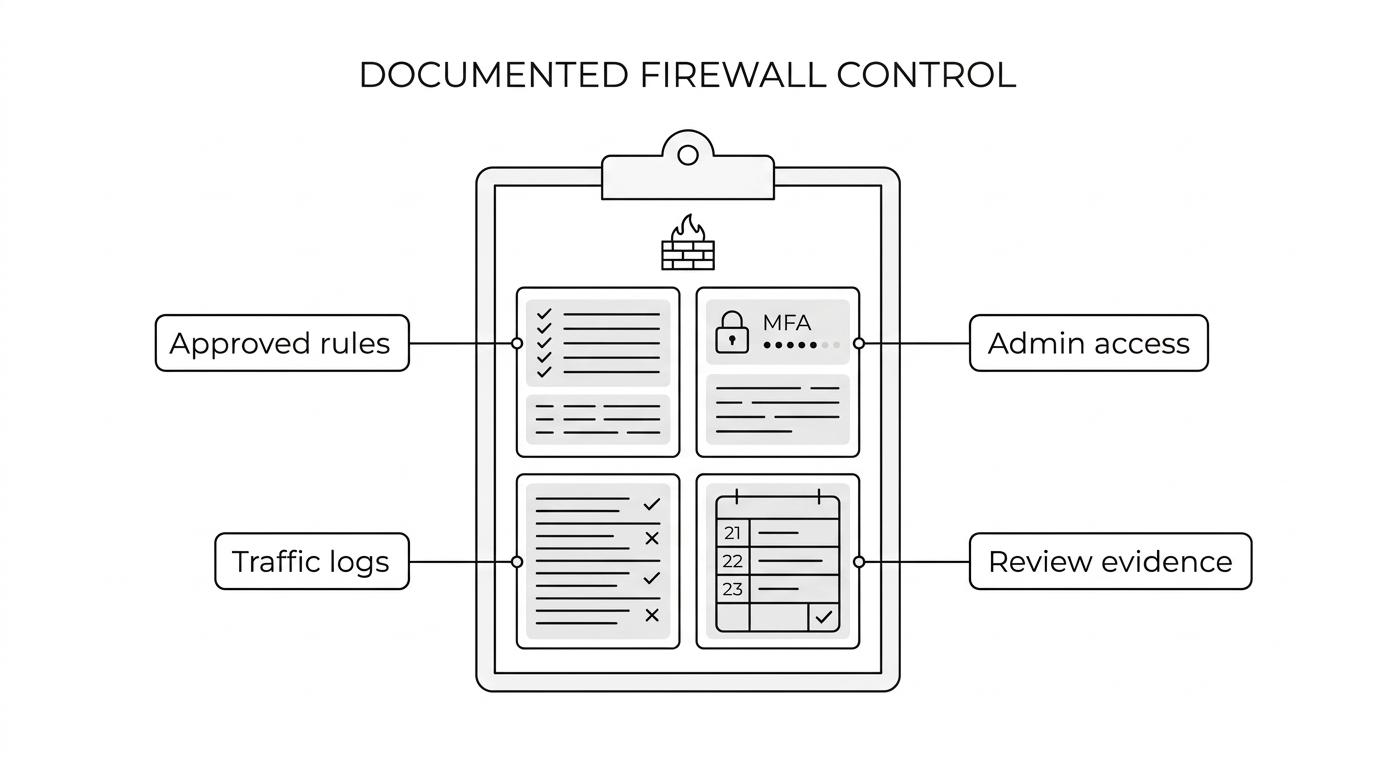
A useful checklist starts with the basics: approved inbound rules, controlled admin access, monitored traffic, baseline configurations and written evidence of review. If any of those are missing, the issue is not the firewall product alone; it is the management process around it.
Managed firewall management means controlling which services are reachable, who can change rules, and how those changes are reviewed. In NCSC Cyber Essentials v3.2, that scope covers boundary firewalls, routers, servers, laptops, desktops and cloud services in scope, not only the office edge device.
That matters because many SMEs think a firewall is a one-off purchase. It is not. A managed firewall is a living control set: rule approval, firmware upkeep, logging, change records, segmentation and periodic review. For regulated organisations, the test is simple. Can you show that only necessary services are exposed and that somebody reviews that decision?
“Amazing Support is a Cyber Essentials Plus certified managed services provider, which is relevant when firewall controls need to sit inside a wider, documented security baseline.”
Firewall management is a compliance issue because the ICO ties network security to clear responsibility, approved firewall openings, monitoring and regular review. UK GDPR also expects security measures to protect confidentiality, integrity and availability, not only perimeter access.
If your business handles personal data, legal files, financial records, donor data or patient information, firewall rules become evidence of secure processing. An unnecessary open port can affect confidentiality. Weak admin access can affect integrity. Poor change control or missing backups can affect availability.
The compliance angle also changes how decisions are made. A technician might ask, “Can this app work if we open this port?” A regulated SME has to ask a second question: “Who approved the exposure, how is it monitored, and when will it be reviewed again?” That shift from convenience to accountability is what separates installation from management.
A strong managed firewall checklist is built around exposure, administration, monitoring and evidence. For a regulated SME, the right question is not “Do we have a firewall?” but “Can we prove it is correctly configured, reviewed and justified?”
Start with the minimum that NCSC and ICO expectations point towards, then adapt it to your sector, cloud footprint and network complexity.
The safest approach is to remove internet-exposed administration unless a documented business need exists. If remote administration is unavoidable, NCSC expects strong access restrictions such as MFA or a tightly limited allow list.
Step 1 is to identify every management path. That includes web portals, SSH, vendor cloud consoles, VPN-based admin routes and any third-party support channels. A common mistake is to secure the main appliance but overlook a secondary cloud dashboard or backup internet router.
Step 2 is to reduce exposure. If the admin interface is reachable from the open internet, ask whether it really needs to be. In many SMEs, a VPN or private management network removes the problem entirely. If the interface must stay reachable, restrict source IPs, require MFA, use named accounts and store passwords in a managed process rather than shared notes.
Step 3 is to separate admin activity from normal user behaviour. Use dedicated admin accounts. Keep records of who changed what and when. If a contractor or MSP needs access, give time-bound permissions and withdraw them when the task is done. The misconception here is that “remote access” and “internet exposure” are the same thing. They are not.
Good rule management starts with business ownership, not ports and protocols. The ICO is clear that open firewall connections should be approved by an authorised staff member, which means technical changes need a governance path.
Step 1 is to link each rule to a named business service. A port should exist because a system owner needs a specific service, not because “it was always there”. Record source, destination, protocol, port, reason, requester, approver and review date.
Step 2 is to challenge necessity. If a rule is broad, ask whether it can be narrowed by IP range, geography, schedule, application or zone. If a vendor asks for “any-any” access during setup, that should be treated as temporary at most. Pro tip: temporary rules often become permanent because nobody sets an expiry date.
Step 3 is to review after change and on a routine cadence. Test the service, confirm the rule works as intended, then re-check it at least periodically. In regulated SMEs, quarterly review is often a practical rhythm because it matches other control checks and avoids stale access staying live for years.
Firewall monitoring works when you collect the right events, establish a baseline and act on exceptions. The ICO expects organisations to monitor incoming and outgoing traffic for security threats, not just keep raw logs.
Step 1 is to decide what matters. At minimum, capture allowed and denied connections for internet-facing services, administrative logins, VPN events, configuration changes and threat-prevention alerts if your platform supports them. If you use web filtering or DNS security, include those records too.
Step 2 is to establish a normal pattern. A small law firm, a charity and a healthcare practice all have different traffic profiles. If you know what “normal” looks like, you can spot failed admin logins, unusual outbound connections or a sudden rise in blocked requests. A common mistake is collecting everything while defining nothing.
Step 3 is to set response ownership. Logs without review are only storage. Decide who checks alerts, how quickly, and what triggers escalation. If a regulated system starts making unusual outbound connections at 02:00, then the next action should already be defined: isolate, investigate, document and decide whether wider incident handling is needed.
Boundary firewalls control traffic between networks, while host firewalls control traffic to and from individual devices. For regulated SMEs, the two controls are complementary, not interchangeable.
A boundary firewall is what most people picture first. It filters internet traffic at the network edge or between network zones. It is strong for central policy, site-to-site control and visibility across shared services. Its weakness is that it cannot fully protect a laptop once that device leaves the office or joins another network.
A host firewall runs on the endpoint or server itself. It follows the device wherever it goes and can restrict local services, remote desktop, file sharing and application traffic. That makes it especially useful for roaming laptops, cloud workloads and east-west traffic inside the network.
The misconception is that host firewalls are duplicate effort. They are not. If staff work remotely, if devices move between networks, or if cloud servers sit outside a single office perimeter, then host firewall rules add protection where the boundary device cannot.
Segmentation is usually better for regulated SMEs once they hold sensitive data, run mixed-trust systems or support guests and third parties. The ICO specifically points organisations towards separate network domains for sensitive or critical information.
A flat network is simpler to manage and may be enough for a very small, low-risk environment. Fewer zones mean fewer rules, fewer dependencies and less troubleshooting. The trade-off is blast radius. If one device is compromised, movement across the environment is easier.
Segmented networks use VLANs, zones or internal firewalls to separate servers, user devices, guest Wi-Fi, voice systems, printers and sensitive applications. If you process health data, financial information or legal case files, that extra control is often worth the complexity. Pro tip: start with traffic mapping before drawing network zones. If you do not know what must talk to what, segmentation can break business systems fast.
The best evidence is specific, current and easy to trace to a named owner. Auditors and assessors do not need perfect paperwork; they need credible proof that firewall controls are defined, reviewed and kept up to date.
Keep your evidence in a single source of truth rather than scattered across email, tickets and vendor portals. That record should connect rule decisions to business services, change approvals and monitoring outcomes.
“Amazing Support recommends documenting the firewall model and key contacts in IT records, then reviewing that documentation quarterly and after major changes.”
If your records are current, reviews become faster and safer because you are verifying known facts rather than rebuilding history from memory.
A managed firewall service makes sense when your SME needs continuous oversight, documented change control and compliance-ready evidence but lacks the internal time or specialist depth to maintain them consistently. Amazing Support is relevant here as a managed IT and cyber security provider because regulated SMEs often need one accountable route for monitoring, rule governance and support.
In-house management can work well where there is a capable internal team, clear separation of duties, reliable on-call cover and mature documentation. The advantage is direct control. The risk is fragility: one engineer knows the firewall well, but nobody else fully understands the rule base, the logs or the exception history.
Managed support is often the better fit if you have multiple sites, hybrid cloud, strict data obligations or recurring external audits. It is also useful after office moves, mergers, supplier changes or a Cyber Essentials preparation cycle, when networks tend to accumulate legacy rules. If the answer to “who approved that rule and when was it last reviewed?” is unclear, the firewall is not being managed, only installed.